MentorNeko is a mentorship platform for organizations such as professional associations, companies and alumni networks. It helps your organization run mentoring programs, introduce members to each other, and let members find one another, all in one place under your organization's name.
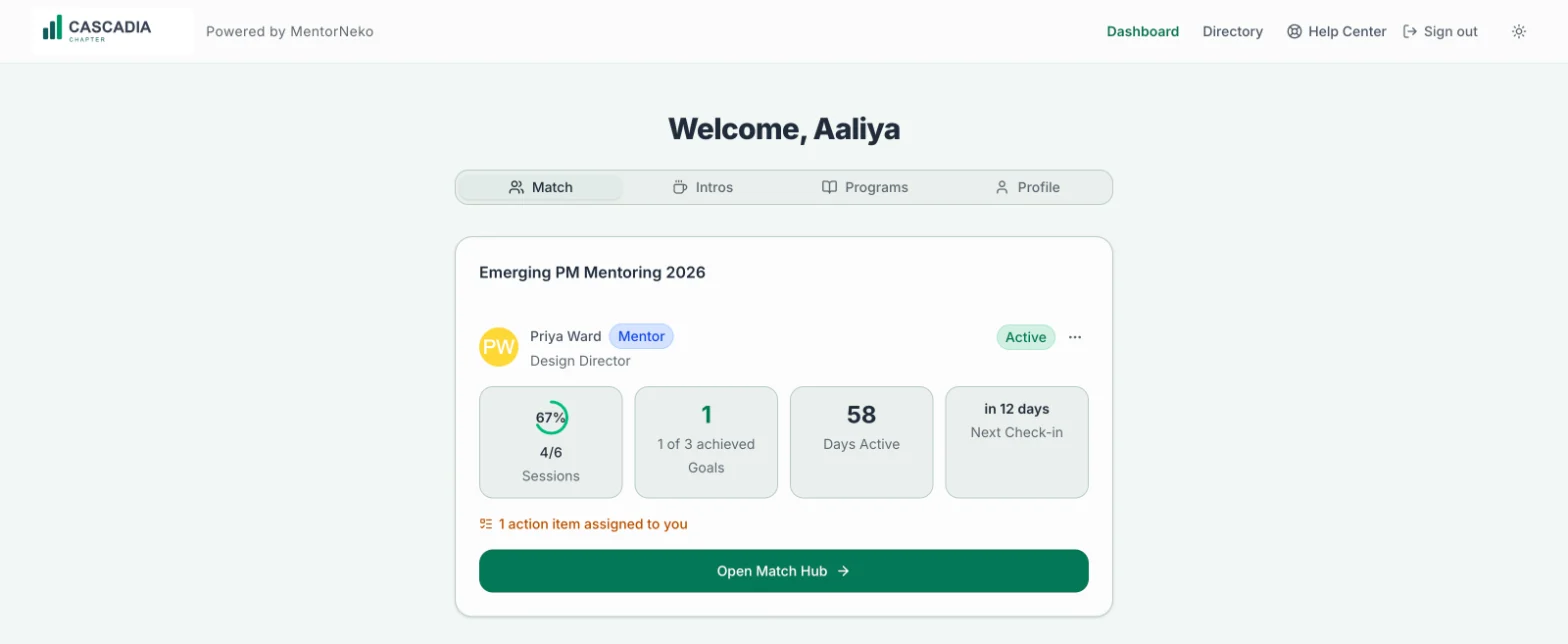
When you sign in, your dashboard shows your current match, your networking introductions, the programs you are in and your profile.
Three Ways to Connect
Mentorship Programs
The heart of MentorNeko is structured mentoring. Your organization runs programs, either open all year or as fixed cohorts. You join as a mentor, a mentee or both, and MentorNeko suggests matches based on your profile, your bio and what each program is looking for. Some programs use small mentoring circles instead of pairs.
Once matched, you and your partner share a private Match Hub: sign your partnership agreement, follow a session guide for each check-in, keep shared notes, and track goals and action items together.
Networking Introductions
Not every connection needs to be a formal mentorship. Networking groups introduce a few members at a time, on a regular schedule, for an informal conversation over video, phone or coffee. There is no ongoing commitment. See Networking Introductions.
Community Directory
The Directory lets you browse other members of your organization, filter by things like skills or program, and get in touch through Connect, which sends your message by email. You choose whether you appear in it. See Using the Community Directory.
How Matching Works
Your profile tells MentorNeko about your background, skills, goals and what you are looking for. When a program runs matching, it compares mentors with mentees and suggests the pairs that fit best, each with a short explanation of why.
Administrators stay in control. In most programs an administrator reviews and approves each match before anyone is told about it. Some programs approve matches automatically, but only because an administrator chose that setting.
Who Uses MentorNeko
Within your organization there are two roles:
- Members join programs and groups, get matched and build relationships.
- Administrators set up programs, manage members, approve matches and follow how things are going.
If your organization uses MentorNeko, you were most likely invited by an administrator. See Getting Started as a Member to get set up.