A program is where mentoring happens in MentorNeko. Each one sets who can join, how pairs are matched, how long each relationship lasts, and what pairs talk about at each check-in. You can run several programs side by side, for example an open career program alongside an invite-only leadership cohort.
Your programs are listed under Programs in the admin console. Each card shows the program's structure, its status, its check-in rhythm and how many people are enrolled, matched and still waiting.
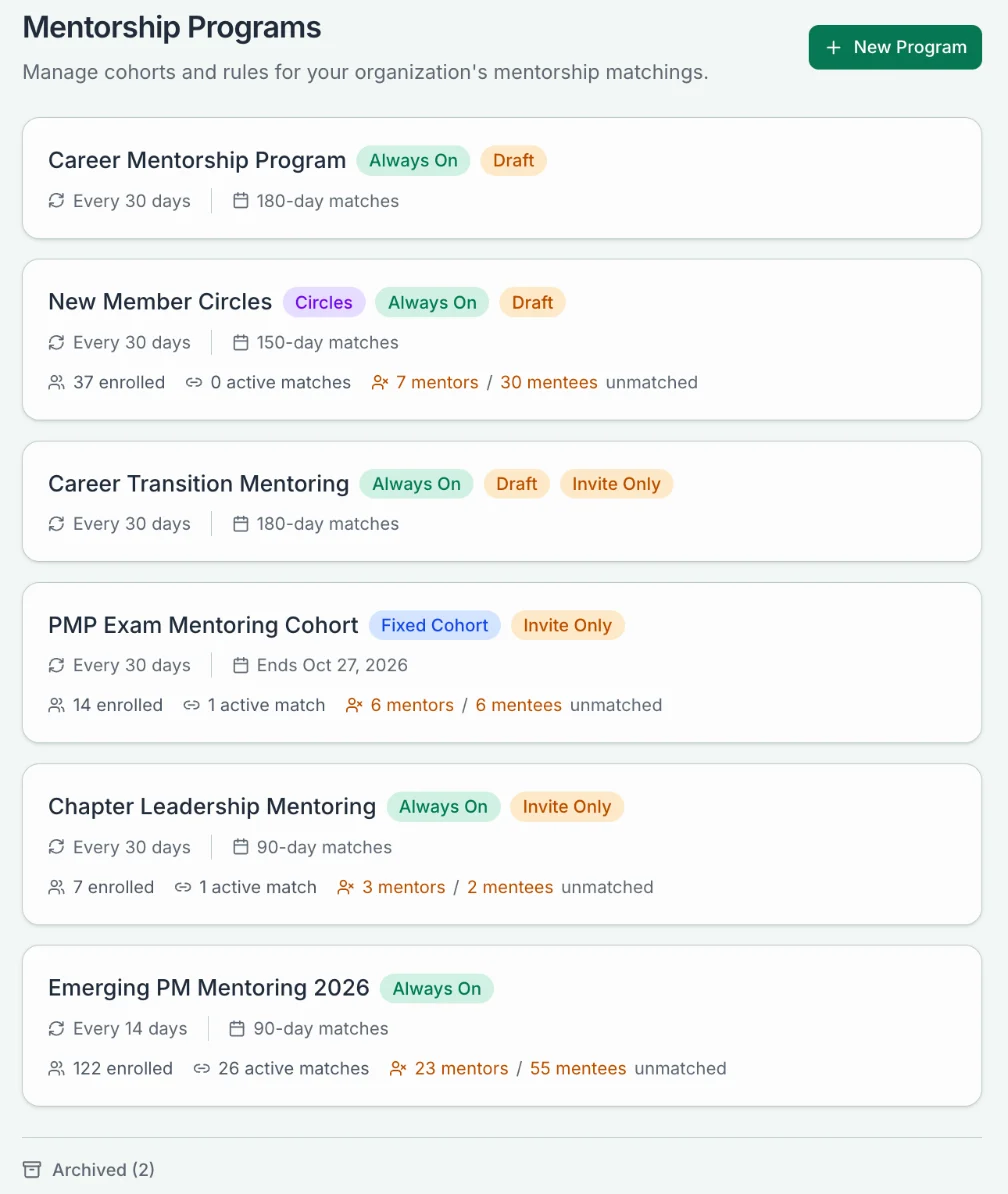
Program Structures
Always On
An always-on program has rolling admission: members can join at any time, and each pair runs on its own timeline from the day it is matched. When a match ends, both people can ask to be matched again. Use it for ongoing, open mentoring.
Fixed Cohort
A fixed cohort has one shared enrollment window. You set a planned start date, and MentorNeko works out the end date from it and the session plan. Enrollment closes on the end date. Matches are not cut short by it: each pair still runs its full session plan from the day it is approved. Use it for structured tracks such as a quarterly or leadership cohort.
Mentoring Formats
- 1:1 mentoring (the default): each mentee is paired with one mentor.
- Group circles: one facilitator leads a small group (3 to 8 participants by default). Circles are available when group mentoring is switched on for your organization. See Managing Mentoring Circles.
A program's format cannot be changed once it has matches or circles.
Check-ins and Session Guides
Every program has a number of check-ins (1 to 52) and a spacing between them: weekly, every two weeks, monthly or a custom number of days. Together they set how long each relationship lasts. Reminders and nudges for each pair follow this rhythm, and pairs are free to meet more often.
Each check-in has a session guide you write: a short agenda with discussion topics that both people see when they open that session. You can also add a welcome note, shown to both people in their match email and at the top of their Match Hub.
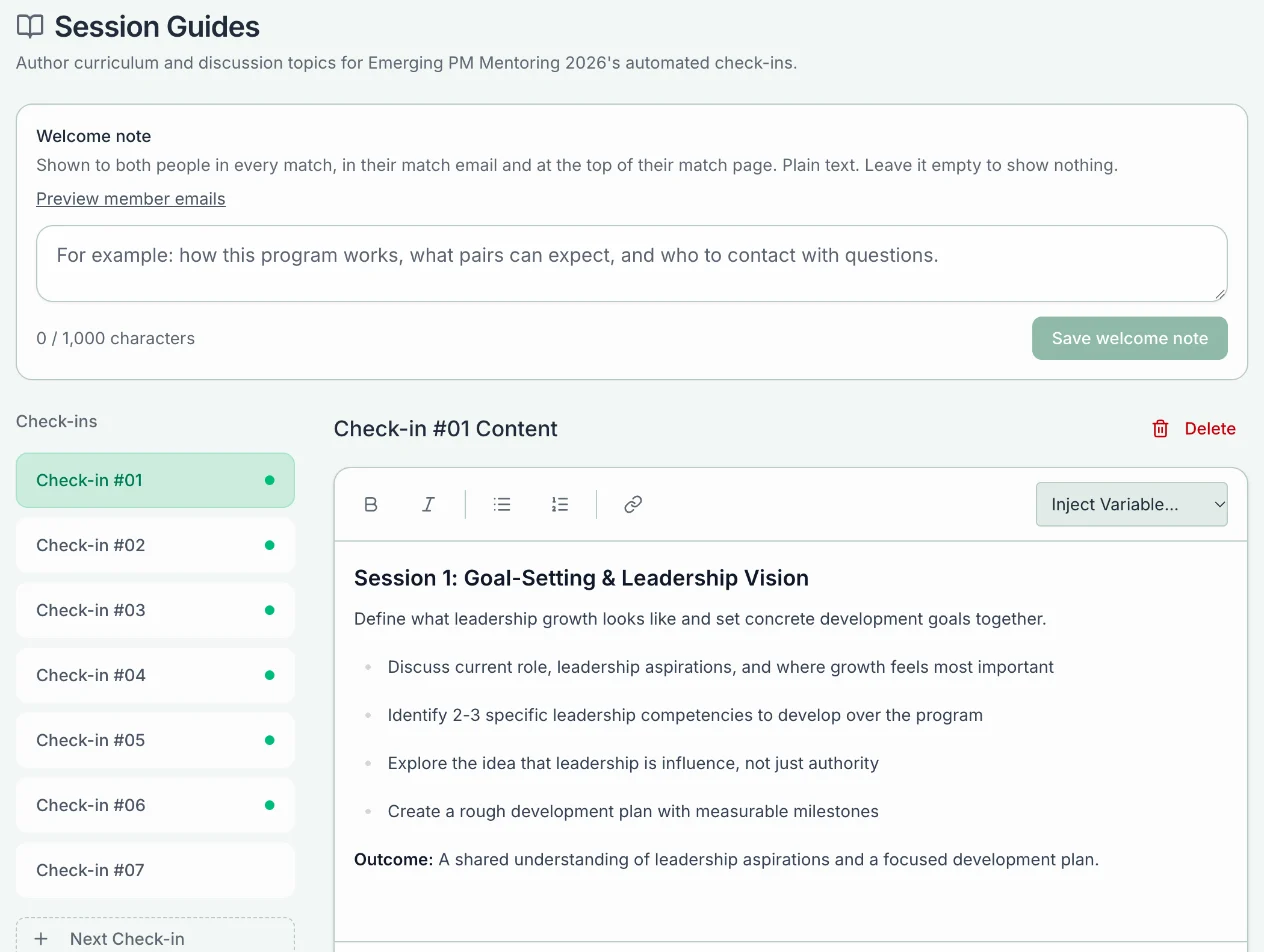
If you switch on Flexible Sessions, pairs can set their own session count and schedule instead of following the program's guides.
Matching
Each program has its own Match Configuration. In AI-Powered mode, an AI reads both people's profiles and bios against matching criteria you write in plain language. In Structured mode, each profile field is scored with a weight you set. Either way, a mentee is only ever paired with a mentor, and two people whose match has ended are not paired again.
You can run matching yourself from the program's Matches page, or let it run automatically on a schedule. Each suggestion comes with a short rationale explaining why the two people fit. Suggestions wait as pending matches on the program's Matches page and in Match Overview, where you approve them, clear them, or choose a different mentor with Override (see Reviewing and Approving Matches).
Matching stays under your control. The engine suggests; you make the final decision, unless you deliberately switch on auto-approve for a program. See Running AI Matching.
Mentor Capacity
Mentors decide how much they take on. Each mentor sets a personal limit of 1 to 3 mentees across all programs, and how many of those slots each program gets (see Managing Your Program Preferences). As an admin, you set a ceiling per program with Max Mentees per Mentor in Match Configuration.
Matching respects these limits, and approving a match checks them again. If a mentor is already full, you are told, and you can approve anyway with an override when it is warranted.
Networking Is Separate
Peer networking runs through Introductions, not programs. Networking groups pair members for short introductions on a regular schedule, with no long-term relationship. See Managing Networking Groups.
Program Lifecycle
Every program starts as a draft that members cannot find. You set up its guides, matching and survey, then publish it to open enrollment. From there:
- Members join the program, as mentors, mentees or both.
- You run matching (or let it run on a schedule) and review the suggestions.
- Approved matches start, and both people get an introduction email.
- Pairs meet through the check-ins at the program's rhythm.
- When a pair's session plan is done, the match moves to Concluding, both people complete an exit survey, and the match is completed.
You can unpublish, archive or wind down a program later. See Program Statuses and Lifecycle.